
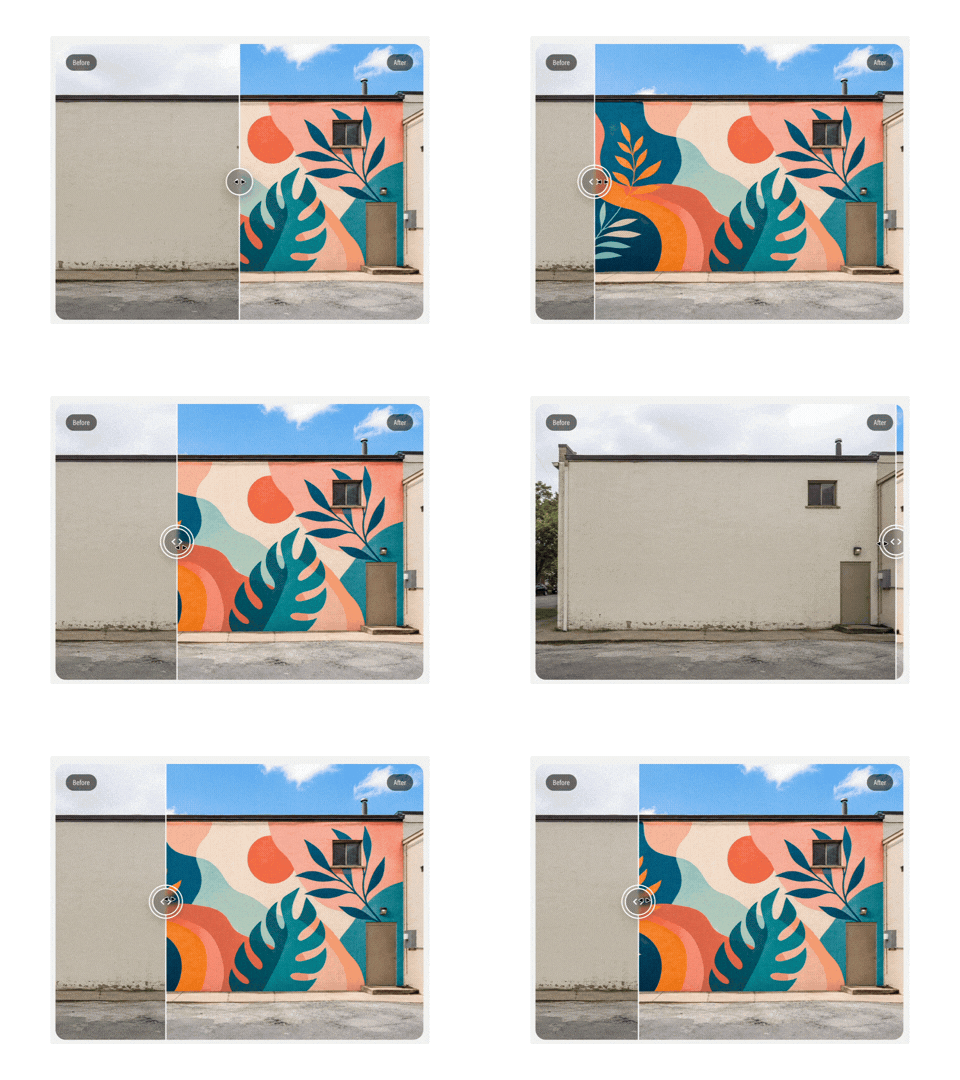
 Image 1 of 1
Add an interactive before-and-after image comparison to any Squarespace page.
What this plugin does
This plugin lets you add a draggable before-and-after image slider to a Squarespace 7.1 page. It is ideal for showing visual transformations where the difference between two images matters.
Visitors can drag the slider handle across the image to reveal more or less of each version, making it easy to compare the “before” and “after” states.
Typical uses include:
Renovations and interiors
Murals, artwork, and creative projects
Website or design makeovers
Restorations and repairs
Beauty, styling, or visual transformations
The slider is lightweight, responsive, and works across desktop and mobile devices.
How it works
This is a simple, copy-and-paste plugin designed for Squarespace 7.1.
Download the plugin files after purchase
Upload your before and after images to Squarespace
Add the slider code to a Squarespace Code Block
Add the CSS and JavaScript following the setup guide
Replace the image URLs and update the labels if needed
No JavaScript experience is required. A step-by-step setup guide is included.
Setup & skill level
Setup time: 10–15 minutes
Skill level: Beginner-friendly
If you’re comfortable copying and pasting code into Squarespace and replacing image URLs, you’ll be fine.
Ready to add a before-and-after slider to your site?
One-time purchase.
Instant download.
Clear, beginner-friendly setup guide.