
 Image 1 of 1
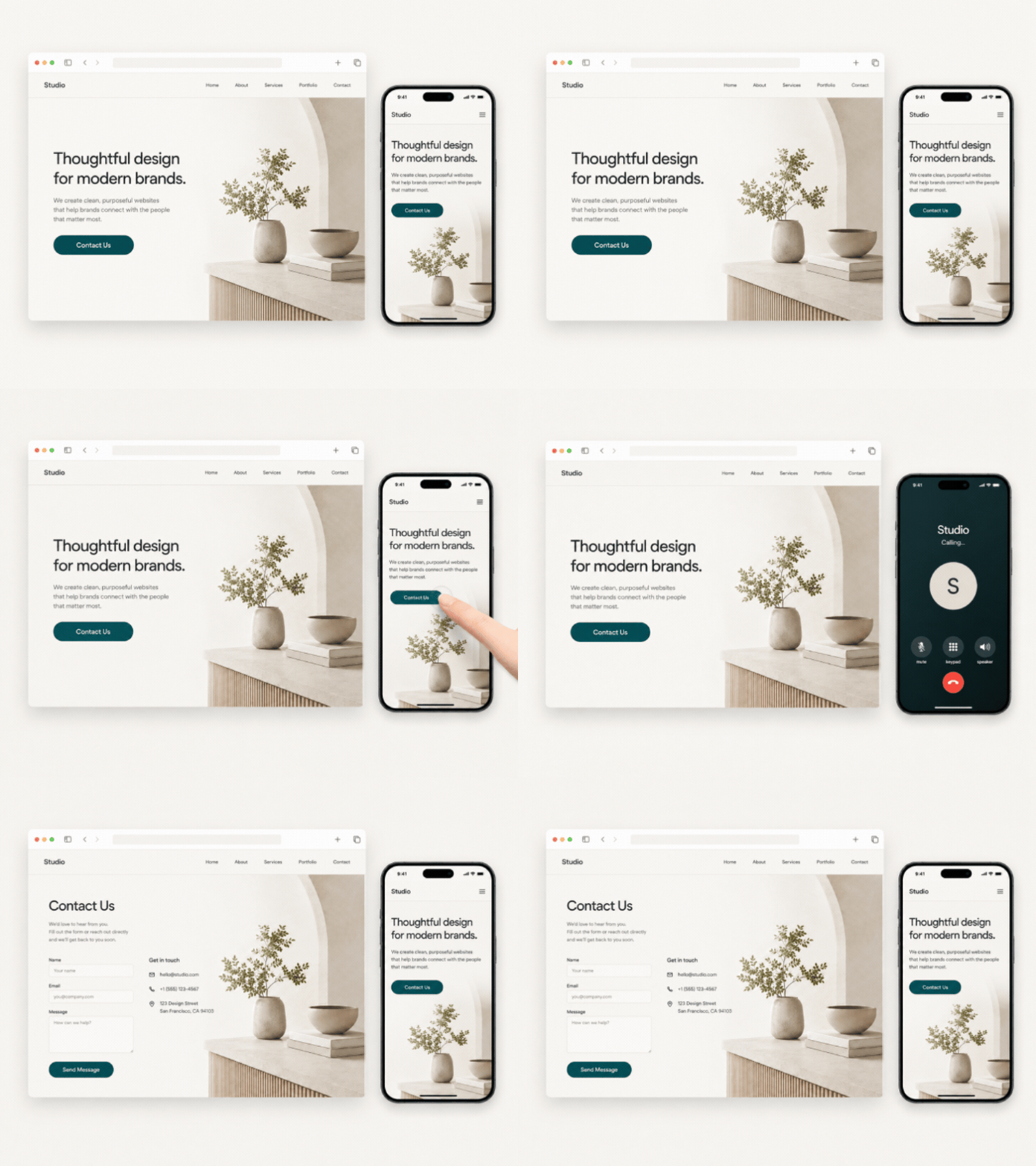
Add a smart Squarespace button that behaves differently on mobile and desktop.
What this plugin does
This plugin lets you create a multi-function button for a Squarespace 7.1 page. It is ideal when you want a button to trigger one action on mobile and a different action on desktop.
On mobile, the button can open a phone call, WhatsApp message, email, or another mobile-friendly link. On desktop, the same button can send visitors to your contact page, booking page, email address, or another URL.
Typical uses include:
Mobile call buttons
WhatsApp enquiry buttons
Desktop contact page buttons
Booking or consultation buttons
Service enquiry buttons
The button uses your existing Squarespace button block, so it fits naturally with your site’s design and styling.
How it works
This is a simple, copy-and-paste plugin designed for Squarespace 7.1.
Download the plugin files after purchase
Add a standard Squarespace button to your page
Find the button block ID
Add the JavaScript to the Footer section of Code Injection
Replace the block ID, mobile link, and desktop link with your own details
No JavaScript experience is required. A step-by-step setup guide is included.
Setup & skill level
Setup time: 10–15 minutes
Skill level: Beginner-friendly
If you’re comfortable copying and pasting code into Squarespace and replacing a block ID and links, you’ll be fine.
Ready to add a smarter button to your site?
One-time purchase.
Instant download.
Clear, beginner-friendly setup guide.